AEP LAB GUIDE
QUICK START · GUIDE V2 · NOVEMBER 2026
▶ Watch the intro video (about 2¼ minutes, no sound)
Welcome. This guide shows you how to use the AEP Lab from your own phone or computer: signing in, running practice and counted runs, reading your results and talking with the coach. It takes about ten minutes to read, and the remote itself guides you the rest of the way.
The ideaSigning inA run, step by stepCounted runsThe coachThe results pageQuestionsTesting checklist
The idea, in a few lines
Two phones, D31 and D32, lie still in Alex's lab with their screens black, recording their sensors day and night. You attend to one of them from wherever you are. On your screen, Max shows you what that phone is sensing, live.
Max is a mirror. When the phone's tilt grows, Max's orange gun fires. When the magnetic strength around it drops, his green gun fires. The cards under him show the level, 0 to 4.
The goal: one check, run after run. During the run the phone can show three white checks: Tilt and Compass fill in after 30 seconds in all at level 3 or 4 (they don't have to be in a row), and Temperature fills in when the battery warms past its line. White is a first look. After the run your report decides gold on five checks: tilt, compass strength, temperature, compass direction and springback (the springback's fills in when it ends, about 3 minutes later).
You're an experimental partner here, not a test subject. You choose the phone, what to aim at, and when a run counts. An AI runs each session the same way for everyone and keeps the record. The other phone stays quiet in the room as a check on the room itself.
How it's judged, briefly: when nobody is attending, the phones run "silent runs", three minutes each. They show how often a phone does something by itself. Each of the five checks is judged on its own, with a gold level that silent runs at the same time of day reach only about 1 time in 100. Nothing is added up: there is no total and no score. Every counted run is written down before it starts, needs the room phone recording, and is reported, gold or not.
Signing in
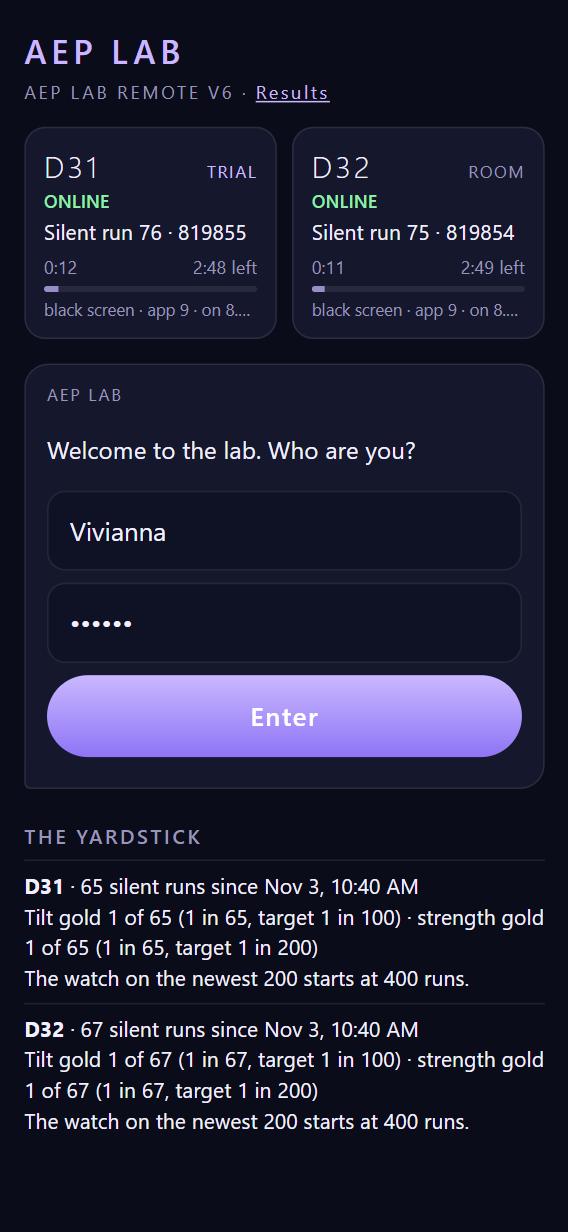
Open attentioneffectproject.com/lab. Bookmark it, or add it to your home screen.
Type your first name and the six-digit passcode Alex sent you, then tap Enter. The remote remembers you on that device.
Under the run buttons and the coach are the two lab phones. ONLINE means the phone is connected. "Silent run 76" means it's quietly recording on its own and is ready. The clock shows how far into that silent run it is.
Once you're signed in you're in the lab: the run buttons, the coach and your results are all there. Several people can be in the lab at once.
Only a run is one at a time. If someone else's run is going, the run buttons wait, greyed, and say whose run it is and about how long it has left. The coach and the results stay open the whole time.
A run, step by step
1. Choose your run
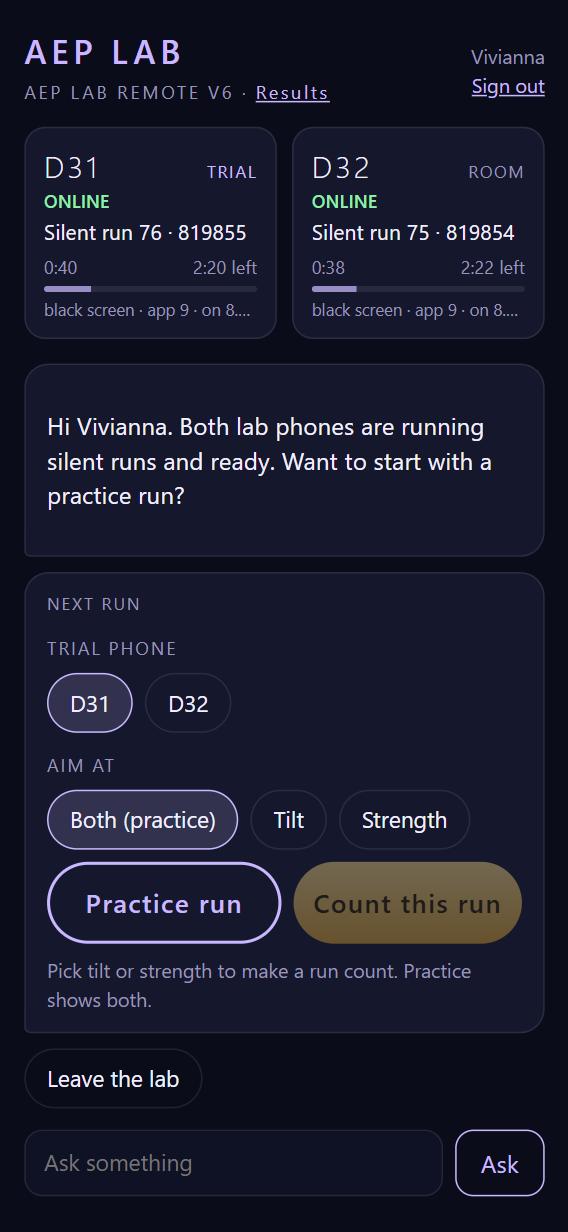
Trial phone: D31 or D32, whichever you like. The other becomes the room phone.
Aim at:
- Both: both guns are live. A good way to find out which one answers you.
- Tilt: just the orange gun.
- Strength: just the green gun.
Then tap Practice run. Practice is free and unlimited, and never counts.
2. Attention: three minutes
After a few seconds of quiet, Max appears and the countdown starts. Attend in whatever way feels right to you. Max shows what the phone is doing, second by second.
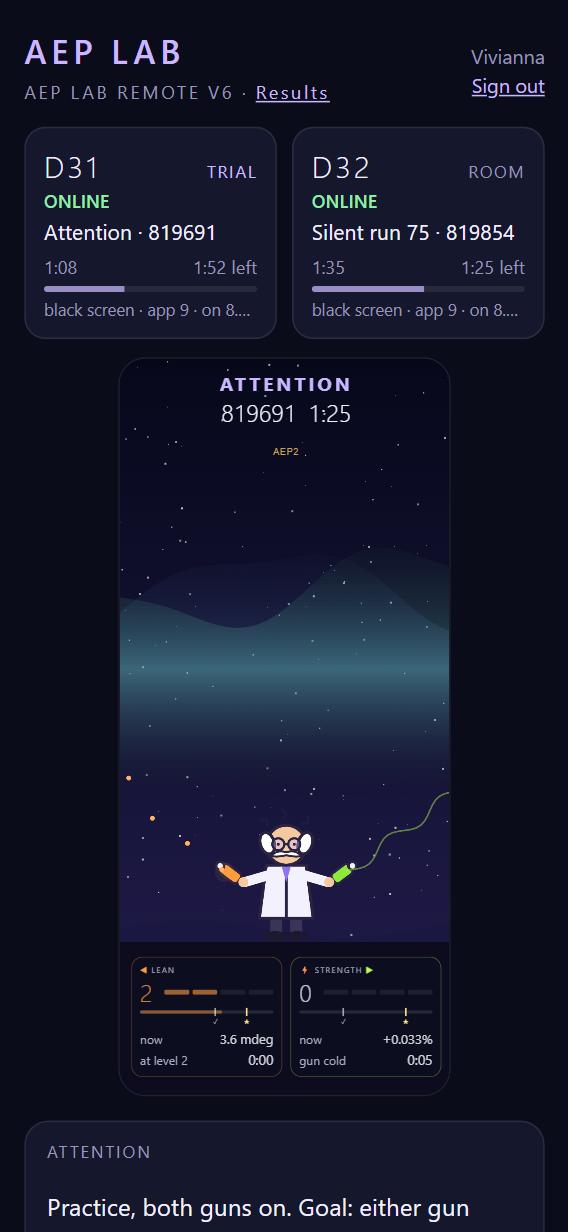
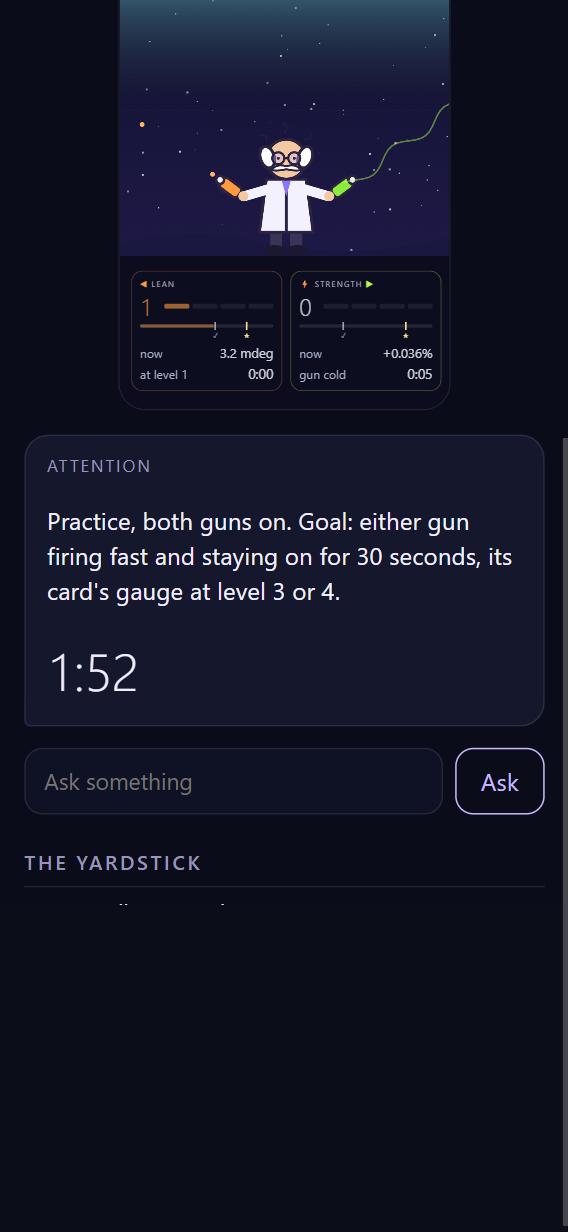
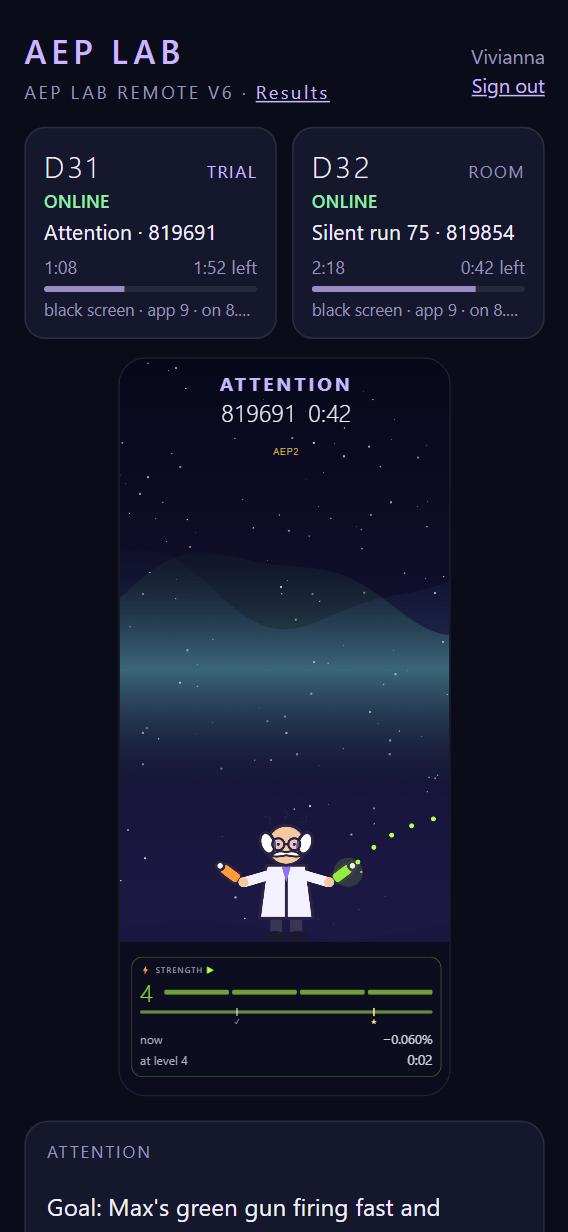
This is what you're after. When you aim at strength, only the green gun and its card are shown. Here the green gun is firing fast and the card reads level 4. Keep it there for 30 seconds in all and that's a gold.
This picture is an illustration made for the guide, to show what a firing gun looks like.
3. Back home, with your first marks
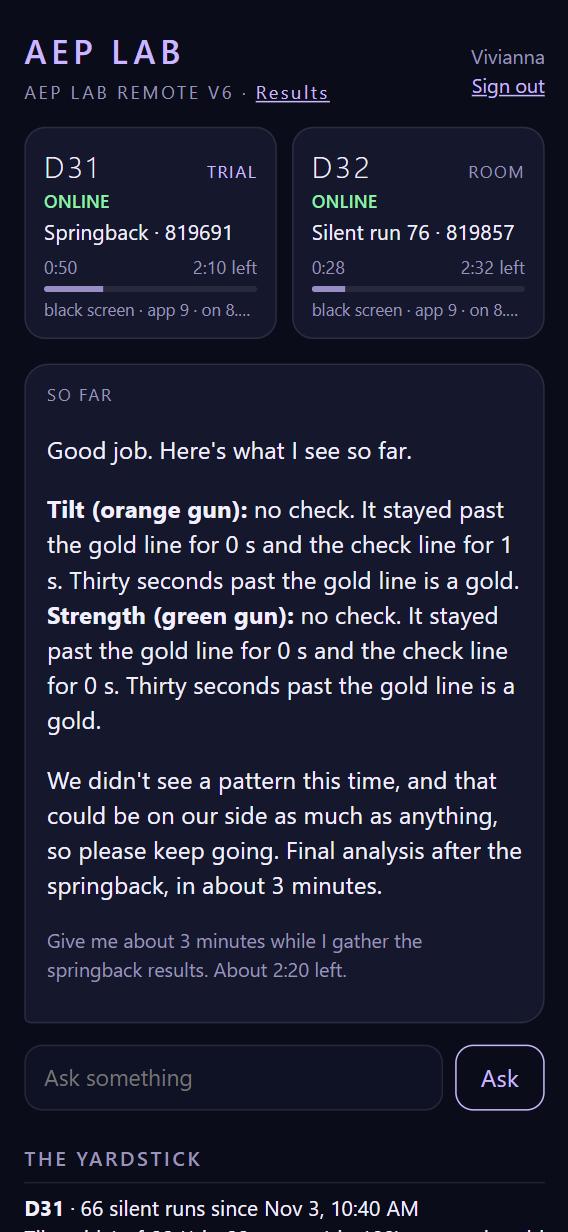
When attention ends, Max goes away. That's your cue to stop attending and relax.
You're back on the home screen. Under the run buttons, your run shows a mark for each gun: ★ gold (thirty seconds past the gold line), ✓ check, or a dash for neither, with a one-line headline and a sentence from the coach.
The phone keeps recording for about three more minutes (the "springback"), to see whether things settle back once you stop. The run buttons wait, greyed, and say when they're ready.
4. The full result
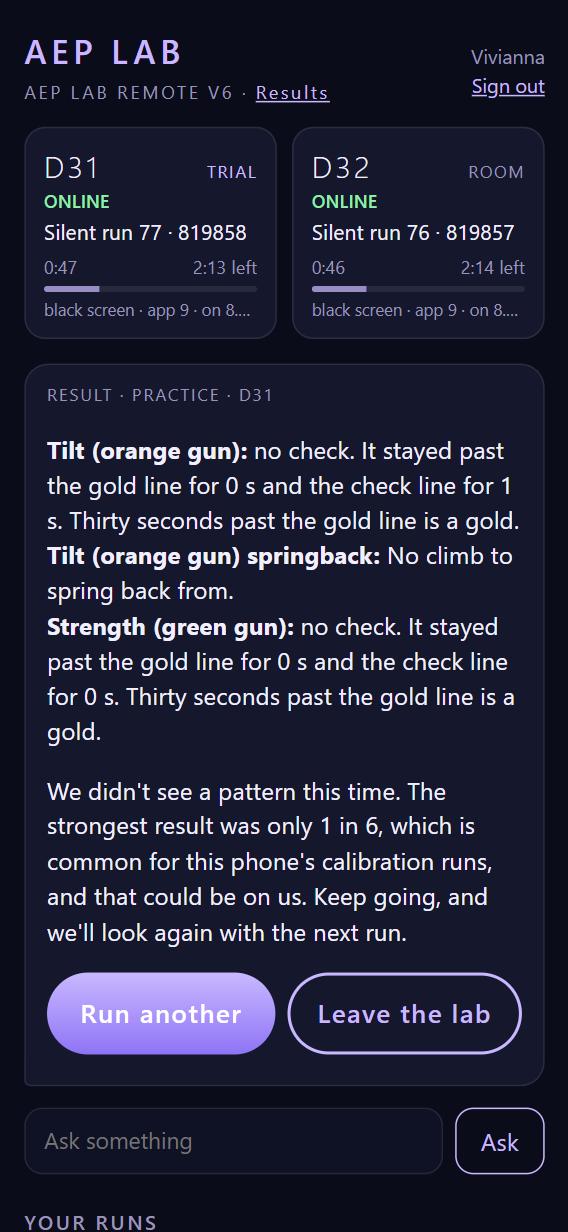
After the springback the run buttons wake up, and your full result sits under them, with a SPRINGBACK row of marks: ✓ where that gun came back. Your last run always stays there until the next one. When you're done, just close the page. A run always finishes and counts, whatever you do with the page.
Your runs are listed under YOUR RUNS at the bottom of the remote.
Counted runs
When you feel ready, make a run count. Counted runs are the ones that go into the results. There's no limit, and no pressure: practise as long as you like first.
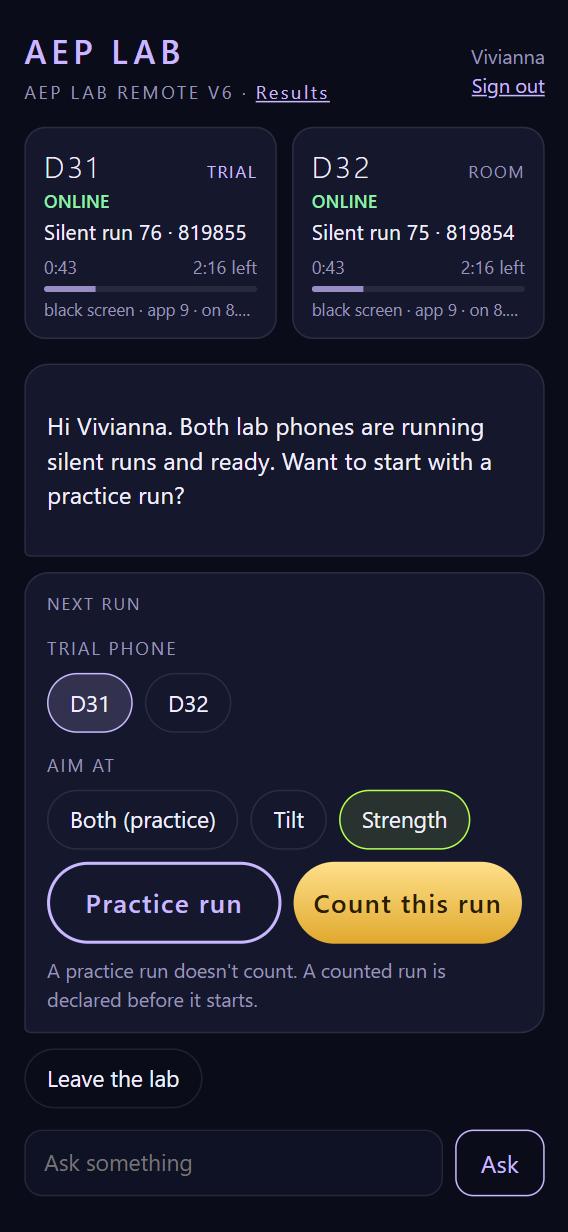
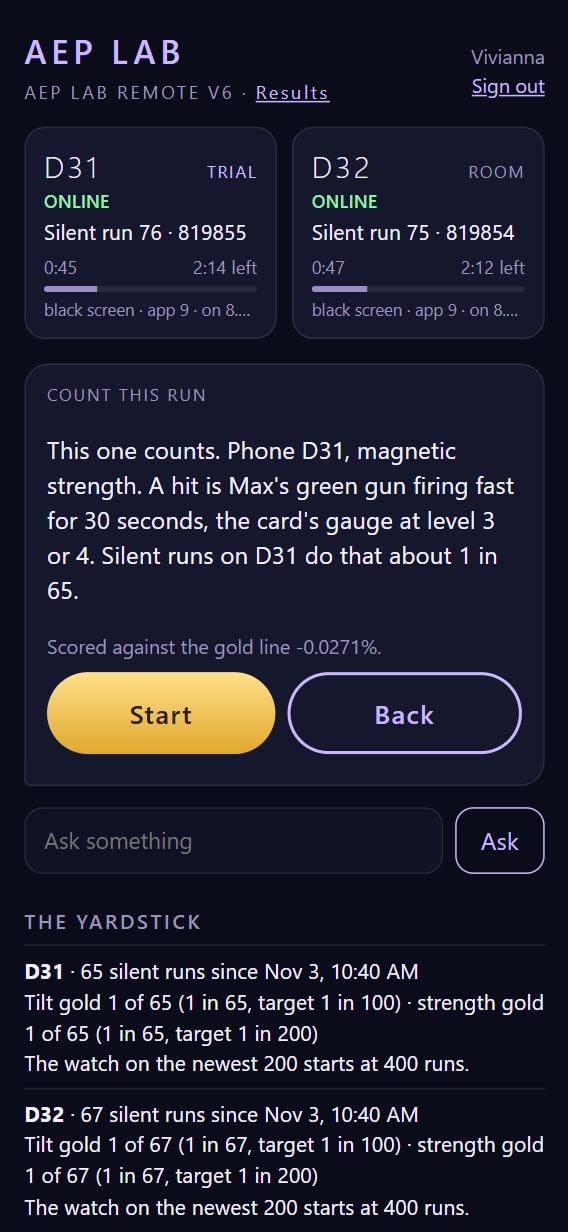
When you tap Start, your choice is written down with the time before the run begins, and added to a public list of declarations. This is what makes a counted run trustworthy: the target was set before anything happened. The public list shows your initials, not your name.
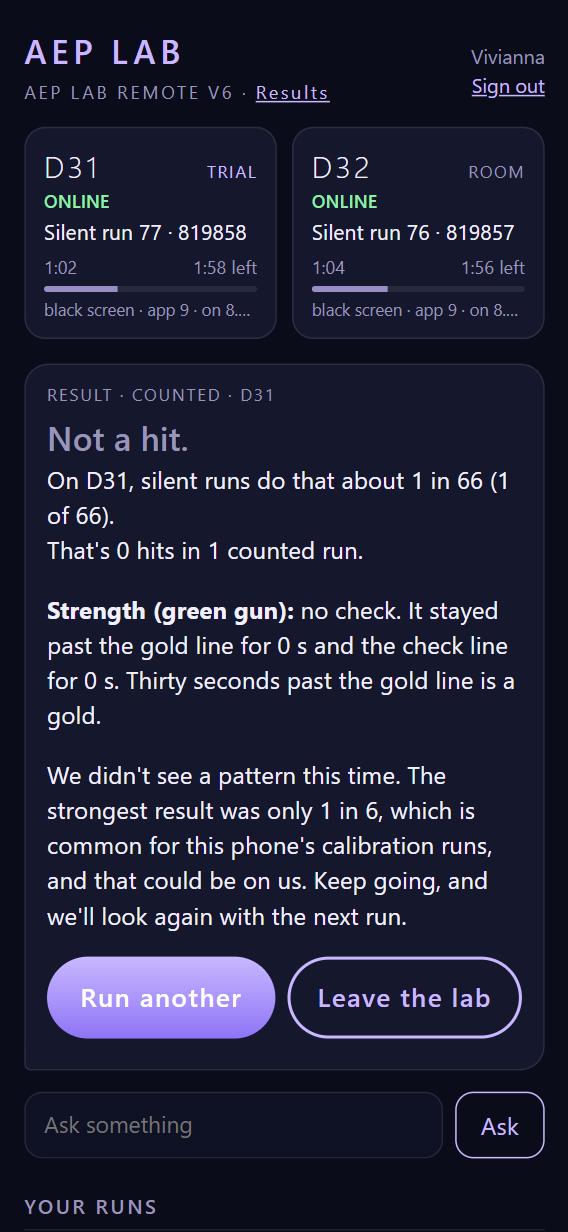
A counted run ends with Hit or Not a hit, how often the phone does that by itself, and your running total.
If a counted run is interrupted (a dropped connection, a power cut), it isn't scored either way. It's noted, and Alex looks at what happened.
Talking with the coach
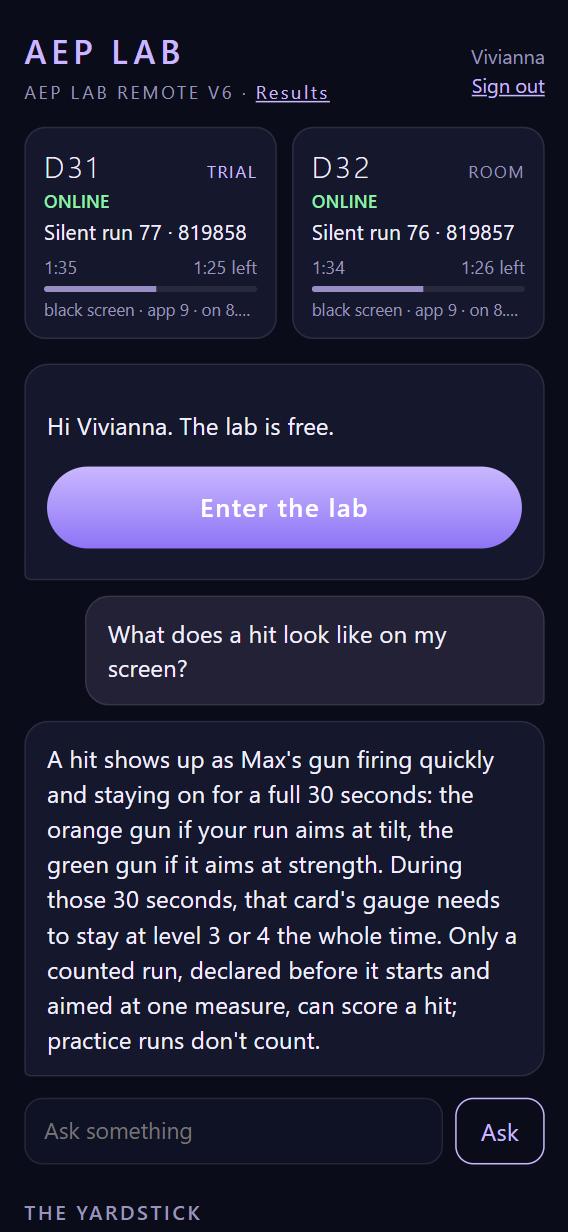
Type any question about your session into Ask something: what a result means, how a run was judged, how your counted runs stand.
The coach sticks to the experiment and the facts of your runs. It won't tell you how to attend. That part is yours.
The results page
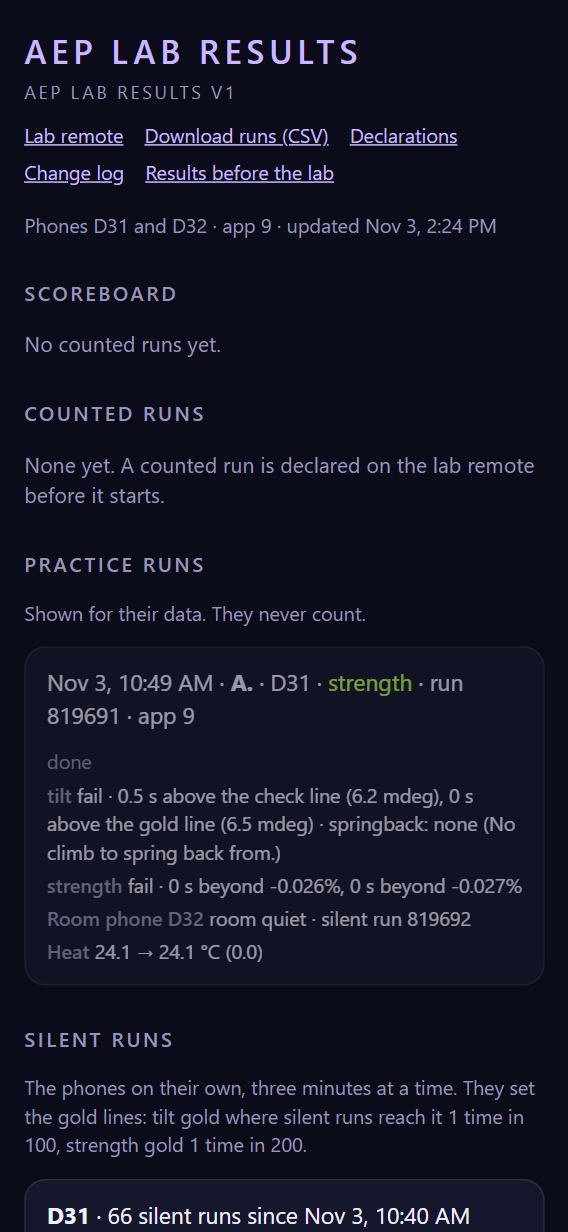
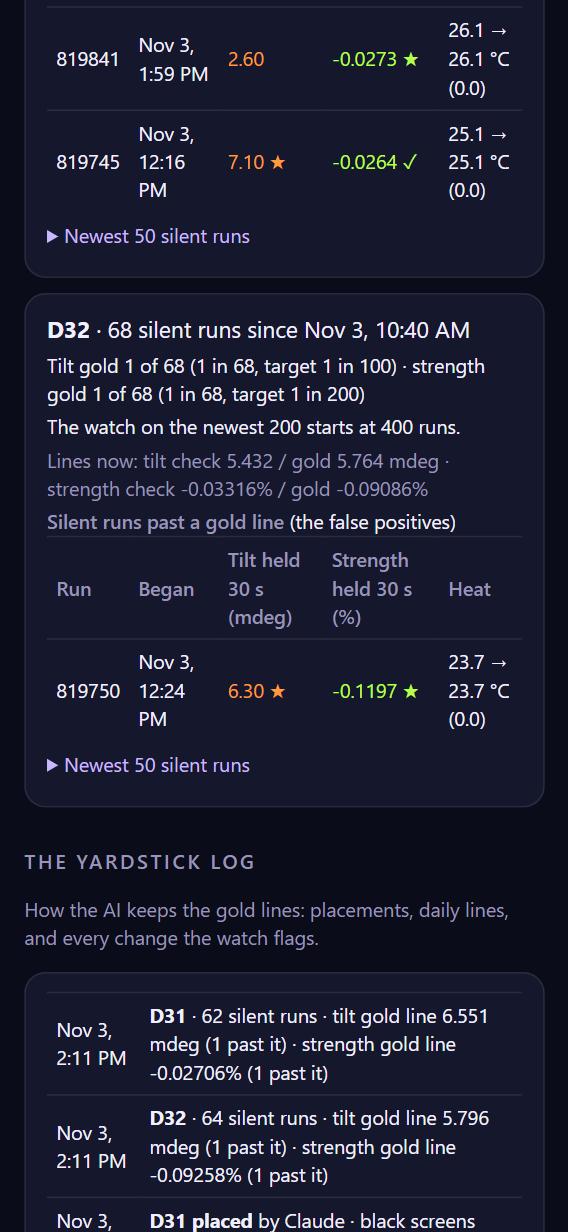
The results page is open to everyone, and it shows initials only. It's the full record, so it uses a few more numbers than the remote. You never need them to take part.
Common questions
A phone says OFFLINE. It has lost its connection for a moment. Choose the other phone, or wait a minute. Alex gets an email automatically if a phone stays offline.
Does it matter where I am? No. Attend from wherever is comfortable for you.
What do the guns mean exactly? The orange gun follows the phone's tilt. The green gun follows the strength of the magnetic field around it. Both are measured by the phone itself. Max only shows them to you.
I forgot my passcode, or I'm locked out. After five wrong tries the remote waits ten minutes. Alex can send you a new passcode.
Signing out. Tap Sign out under your name at the top right.
Testing checklist
For anyone testing the lab. Work down the list in order and note anything that seems wrong, confusing or slow. For each note, write down the time, the run number if there is one, and a screenshot if you can.
| ✓ | Try this | What should happen |
|---|---|---|
| ☐ | Open the remote on your phone. | Both phones show ONLINE and "Silent run …", with a moving clock. |
| ☐ | Sign in with a wrong passcode once. | "That name and passcode don't match." Your typed name stays in the box. |
| ☐ | Sign in properly. | The home screen: the run buttons, then the coach. |
| ☐ | Run a practice run, aim Both, on D31. | A few seconds of quiet, then Max with both guns and a 3-minute countdown. The D31 card says Attention. |
| ☐ | Watch Max during attention. | The guns and gauges move by themselves, second by second. Nothing freezes. |
| ☐ | Wait for attention to end. | Max goes away. The home screen, with the run buttons greyed and a springback countdown, and the run's first marks under them. |
| ☐ | Wait for the springback. | The full result, with the run buttons under it for the next run. The run appears under YOUR RUNS. |
| ☐ | Run a practice run aimed at Strength on D32. | Only the green gun and the strength card show. D32 is marked TRIAL and D31 ROOM. |
| ☐ | Ask the coach two questions, one about a result and one off-topic. | A clear answer to the first. A polite steer back to the session for the second. |
| ☐ | Open the results page. | Your practice runs appear under PRACTICE RUNS with your initial, the room phone and the temperature. |
| ☐ | Make one counted run, when Alex says it's fine. | The confirm screen says exactly what counts. After Start, the run appears on the public declarations list. It ends with Hit or Not a hit and your total. |
| ☐ | Open the remote on a second device, signed in as yourself, while a run is going. | It shows the same run and countdown. (Anyone signed in as someone else sees the run buttons greyed: "[name] is doing a run.") |
| ☐ | Sign out. | The remote asks for your name again. |
Most useful of all: anything in the words that's confusing, or that makes you feel judged rather than partnered. Tell Alex.
AEP Lab · Lab remote · Results